Trading Journal & Performance Dashboard (Excel / Google Sheets)
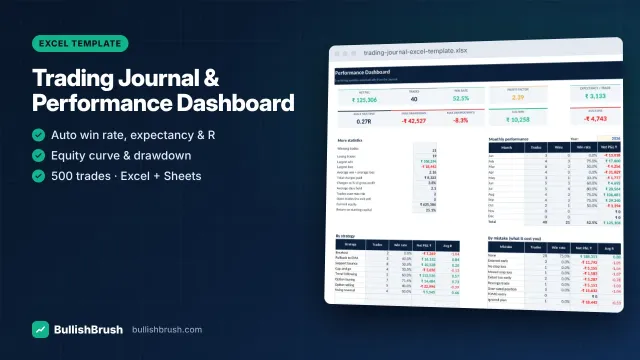
Log every trade once — win rate, profit factor, expectancy, R-multiples, drawdown and monthly P&L calculate automatically.
₹249
₹49950% off
View details
See every charge on a trade — brokerage, STT, exchange fees, SEBI, stamp, GST, DP — plus net P&L and F&O tax turnover by month.
You save ₹200
🔒 Secure payment by Razorpay · UPI, cards, net banking
Tap any image to see it full-size — then zoom in to read every detail.
Costs quietly decide whether active trading is profitable. This calculator uses 2026 NSE rates (all editable) to show the true cost of each trade and your real profit after charges.
Works in Microsoft Excel (2010 or later), Google Sheets and LibreOffice Calc. Instant download after payment — available any time in your account.
Estimates only. Your broker's contract note is final. Consult a chartered accountant for tax filing and audit.
UPI, cards or net banking — checkout takes under a minute.
Your download appears in your account immediately, and the link is emailed to you.
Open the file and follow the built-in “Start here” guide.
Right after payment the download appears in your account, and a download link is also sent to your email. No waiting.
Microsoft Excel 2010 or later, or the free Google Sheets (upload to Google Drive → Open with Google Sheets) or LibreOffice Calc. No macros or add-ins are needed.
Yes — open it in the free Excel or Google Sheets app. Entering lots of data is easier on a computer, but you can check your numbers anywhere.
The licence is for your own personal or internal business use. Sharing or reselling the file is not allowed.
No. All our products are for education. They do not recommend buying or selling anything, and trading always involves risk of loss.
Message us on WhatsApp or email — a real person will help you set it up.
No reviews for this product yet. Read our Google reviews
BullishBrush provides stock market education only. We are not a SEBI-registered investment adviser or research analyst and do not give buy/sell recommendations or tips. Investments in securities markets are subject to market risks; read all related documents carefully before investing. Past performance does not guarantee future results.
Log every trade once — win rate, profit factor, expectancy, R-multiples, drawdown and monthly P&L calculate automatically.
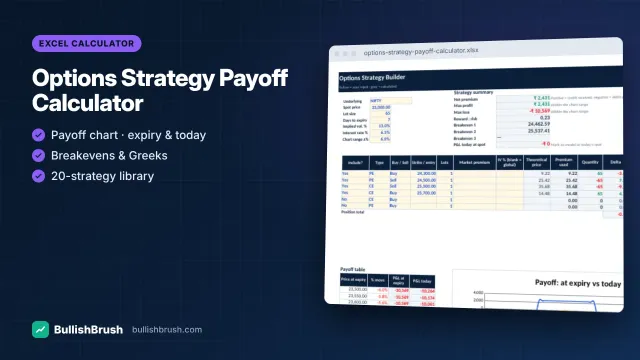
Build any strategy with up to 6 legs and see payoff at expiry and today, breakevens, max profit/loss and Greeks.
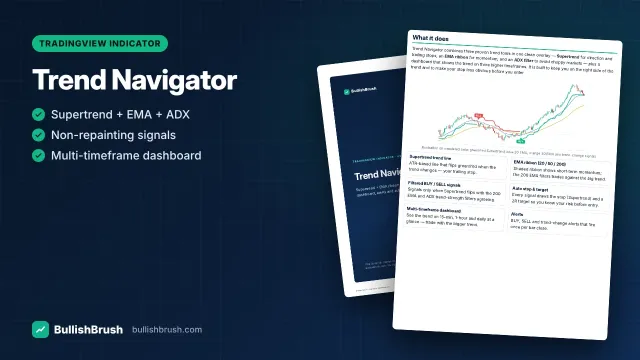
Supertrend, EMA ribbon and ADX filter in one overlay, with filtered BUY/SELL signals, auto stop/target and a multi-timeframe dashboard.
AI assistant — education only, not investment advice · WhatsApp